tb-video
The tb-video directive adds a video placeholder that can open a player in
the page or in a separate window. The source URL can point to local static
video files or to common provider pages from YouTube, Vimeo, Canvas LMS, and
Odysee. YouTube opens in a separate window because provider iframe behavior
depends on page origin and video settings. Any content in the body becomes
optional notes for the video.
Synopsis
The general format of the tb-video directive is:
.. tb-video:: video-url
   :optional parameter: value

   + --- Notes area ---
   |
   | optional notes that explain the video or point to a
   | specific time in the recording.
   |
   + -------------------
The directive argument is required and provides the video URL or local file path.
Options
- class
StringorList. Optional. A CSS class to add to the directive. See Common options for details.- height
String. Optional. Height used for the player and placeholder frame. If omitted, the frame height is computed from the available width and the default aspect ratio. Authors can pass standard CSS-style values such as640,640px,50%,12em,20rem, and similar length or percentage forms. Docutils documents these values in the Common Option Value Types section.- name
String. Optional. Sphinx reference name for this video block. See Common options for details.- thumbnail
String. Optional. Image used in the placeholder frame. Can be a filename or URL. YouTube thumbnails are derived automatically. Use this option when another provider or local video should show a specific preview image.- width
String. Optional. Width used for the player and placeholder frame. If omitted, the frame uses the full available width.- window
Boolean. Optional. If present, HTML opens the video in a separate window instead of showing an inline player in the page. YouTube uses this behavior by default. Inline player support can be sensitive to browser type so consider forcing this setting if needed.
Sphinx configuration options
tb_video_default_widthString. Default width value passed to HTML configuration when:width:is omitted. The frame still uses the full available width unless:width:is set on the directive.tb_video_default_heightString. Default height value passed to HTML configuration when:height:is omitted. The frame still computes height from its aspect ratio unless:height:is set on the directive.
Accessibility behavior
HTML renders a placeholder frame with a real link for no-JS access. The HTML uses native buttons and an iframe or video element with a programmatic label. For inline playback, clicking either the placeholder or the Play button loads the player in the page. The Play button then becomes a Pause button. For native video, Pause stops playback and leaves the controls visible. For iframe providers, Pause unloads the iframe and returns to the placeholder. Some providers may still require a click on their own player controls before playback begins.
Fallback behavior
HTML without JavaScript keeps the placeholder frame visible and the link operable. Text and PDF-oriented builders render the complete video URL and any notes from the content area. The notes stay part of the document flow so they remain available in non-HTML output.
Examples
Example 1: Local Ogg Vorbis video with inline playback
Ogg Theora/Vorbis playback depends on browser codec support. If the browser cannot play the file, HTML shows a message with a direct file link.
Source
.. tb-video:: _static/wilms-tumor-ct-scan.ogv
Rendered
Example 2: Local WebM video with inline playback
Source
.. tb-video:: _static/Baby_Chick_Hatching.webm
   :width: 270
   :height: 480
   :thumbnail: _static/Baby_Chick_Hatching.jpg

   `Two Drs Homestead, CC BY 3.0 <https://creativecommons.org/licenses/by/3.0>`__,
   via Wikimedia Commons.
Rendered
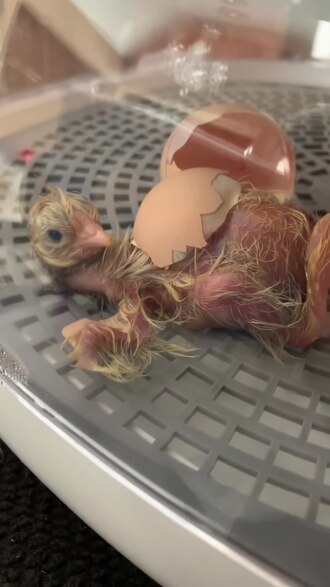 Open video
Two Drs Homestead, CC BY 3.0, via Wikimedia Commons.
Example 3: Vimeo with inline playback
Source
.. tb-video:: https://vimeo.com/486845755

   Jump to the end of the lecture for the review question.
Rendered
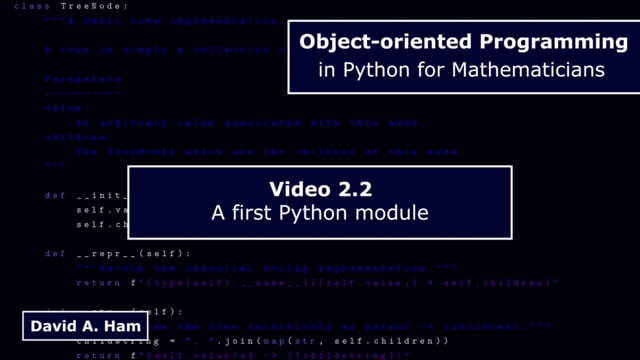 Open video
Jump to the end of the lecture for the review question.
Example 4: Vimeo in a separate window
Source
.. tb-video:: https://vimeo.com/486845755
   :window:

   Jump to the end of the lecture for the review question.
Rendered
Open video
Jump to the end of the lecture for the review question.
Example 5: YouTube opens externally
Source
.. tb-video:: https://www.youtube.com/watch?v=aqz-KE-bpKQ&t=75s

   Start at 1:15 for the worked example.
Rendered
 Open video
Start at 1:15 for the worked example.